Well, that’s what EasyPay’s product called VCpay™ can do for you (seems like it was launched on 15 November 2011)– and what sweetens the deal even more is that there is no monthly subscription and no other charges. In fact they even give you a cashback reward of 0.5% per transaction. That’s not a whole lot of cash, but it’s better than nothing!

From the EasyPay web site:
“
VCpay™ is a mobile phone application (
Update May 2013: Blackberry, Android and iPhone supported now :) : List of phones

VCpay™ works off-line and it is therefore not reliant on mobile network coverage or its reliability, signal strength or availability.
As a result, VCpay™ provides you with 100% guaranteed service delivery and eliminates the frustration and embarrassment we have all experienced when our traditional card products fail to work due the failure of communication networks and/or the non-receipt of confirmation SMS messages from our issuing banks.
VCpay™ works off line and thus does not expose your account information or your identity, so it is impossible for your personal and financial information to be compromised, intercepted, phished or hacked – making VCpay™ the most secure, simplest and fastest way to pay.
”
It can be used in PrePaid or PostPaid mode, and funds can be transferred into your VCpay account in 3 ways: 1) EasyPay locations, 2) EasyPay kiosks, 3) EFTs.
See here for more details: https://www.vcpay.co.za/depositFUNDS.aspx
(HTT note: I notice that you can’t charge the VCpay amount to your real credit card… so, all those loyalty miles etc. from your real credit card will be lost - at the expense of peace of mind through more security – but you will get 0.5% cashback ;) ) Although their terms and conditions clause 6.3 hints that this might be possible for a fee – later?)
HTT note: When adding the VCpay beneficiary to my FNB account it picked it up as a pre-loaded “Public Recipient: Net1 Applied Technologies“
You can then create a virtual card on demand using the cell phone app and then use the Virtual cards on the Internet anywhere a MasterCard "card not present" transaction is accepted, such as the majority of websites, telephone orders or purchases and/or bookings for airline tickets, rental cars or concert tickets.
Both Prepaid and Postpaid Virtual Cards are accepted on the EasyPay website for any product. This includes prepaid airtime, prepaid electricity and bill payments to over 400 institutions, such as municipalities (e.g. rates and taxes), traffic fines, SABC TV Licences, retailers, doctors, insurance companies, school fees, etc.
See here for more information on how the system works and info on the 2 registration steps (download the app,then Link the VCpay™ app to an EasyPay Wallet): https://www.vcpay.co.za/Default.aspx
HTT Note: when the BB app asks you for your “EP Wallet PIN” then that’s where you enter your login password that you use for the easypay.co.za web site.
HTT Note: I tried to link my EasyPay wallet to the VCpay account but the app hung…. “linking to wallet”. I then closed the app and when I restarted the app I logged in using my VCpay password and it seemed to be working :)
I transferred a small amount of Rands (just to try it out) from FNB to my EasyPay wallet and it arrived in about 10 minutes :)
and I could then start creating my virtual credit card on my cell phone!:
 I then had to enter my VCpay password but got an error creating the Virtual Credit Card :(
 Update on Wed4Jan: I unlinked my wallet then linked it again and the Virtual Credit Card (with *very* low limit, valid until May 2015) was created. I used it to pay one of my online bills and it worked perfectly. Well done EasyPay for an awesome product that I will most definitely use for my (now safe) online shopping.
You can also see a list of virtual cards that you have already created and the ones that are used up:

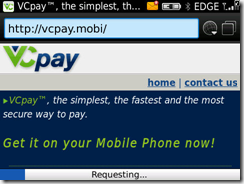
For more info on how to download the BB app [980KB]: https://www.vcpay.co.za/downloadAPP.aspx or just go to http://vcpay.mobi to download the app.

Here’s a list of currently supported BB devices:
Blackberry OS5 or greater 8900 | 8910 | 8980 | 9000 | 9350 | 9360 | 9370 | 9630 | 9650 | 9700 | 9780 | 9788 | 9790 | 8300 | 8310 | 8320 | 8330 | 8330m | 8350i | 8520 | 8530 | 8800 | 8820 | 8830 | 8830m | 9300 | 9330 | 9800 | 9900 | 9930 | 9981
Blackberry OS4
8900 | 8910 | 8980 | 9000 | 9350 | 9360 | 9370 | 9630 | 9650 | 9700 | 9780 | 9788 | 8300 | 8310 | 8320 | 8330 | 8330m | 8350i | 8520 | 8530 | 8800 | 8820 | 8830 | 8830m | 9300 | 9330
When 1st running the app you need to accept the terms and conditions… I have pasted them below for all you legal eagles to peruse… Interesting are clauses 5.1 (risks) and 6.3 (fees if linked to a credit card… but I didn’t see that option ):
”
VCPAY TERMS AND CONDITIONS OF USE Last updated 09/11/2011
Please ensure that you have read, understood and are happy with the terms and conditions governing the use of the VCpay mobile application before acceptance as acceptance constitutes a legally binding agreement between yourself and EasyPay.
1. PARTIES AND DEFINITIONS
1.1. “Application” or “App” means “VCpay”.
1.2. “EasyPay” means EasyPay (Pty) Ltd registration number 1983/008/597/07 hereafter referred to as “we”, “us” or EasyPay.
1.3. “EP Wallet” refers to a virtual wallet into which prepaid value funds can be placed to facilitate web or mobi based transactions at some future date.
1.4 “I, “you” and “yourself” refer to the client.
1.5 “VCpay” is a virtual credit card application that allows to create once of virtual credit card number for one transaction for an exact value and is brought to you by EasyPay.
2. AUTHORITY
2.1. By downloading and using the VCpay application, I authorize EasyPay to transact on my behalf in accordance with instructions I have given to them.
2.2. The creation of a virtual credit card coupled with the use of such a card will be deemed to be an instruction by me to EasyPay to transact on my behalf.
2.3. I hereby confirm and accept that EasyPay will not be liable for any loss or damage of whatsoever nature that I may suffer as a result of creating a virtual card for an incorrect amount and/or for the selection of an incorrect beneficiary.
3. CHANGES AND UPDATES TO TERMS AND CONDITIONS
3.1. Any material changes to the terms and conditions of use will be communicated to you via e-mail, SMS or updates on the VCpay website, continued use of the application after such changes have been communicated will be deemed to be an unconditional acceptance of the updated terms and conditions.
3.2. You agree to ensure that your details will be kept up to date in order to be enable us to communicate any changes to you timeously.
3.3. As Easypay is required by law to communicate changes and updates to the terms and conditions of use to you, any communication in this regard will not be subject to any opt out clause you may have exercised either through EasyPay or through a third party database.
3.4. Further, you agree that EasyPay will not be held liable for any loss or damage of whatsoever nature, except to the extent permitted by law, which may arise due to your failure to update your information.
4. SECURITY
4.1. You agree that it remains your responsibility to ensure that the PIN you have selected will be kept safe and is not disclosed to anyone in order to minimise the risk of fraudulent transactions.
5. RISK AND LIABILITY
5.1. NOT WITHSTANDING ANY OTHER CLAUSE IN THIS AGREEMENT TO THE CONTRARY, EASYPAY MAKES NO WARRANTY OF ANY KIND IN RELATION TO THE VCPAY APPLICATION AND CONSEQUENTLY WILL NOT BE HELD LIABLE FOR ANY LOSS OR DAMAGE OF WHATSOEVER NATURE SUFFERED AS A RESULT OF USING THE APPLICATION EXCEPT IN SO FAR AS THE LOSS OR DAMAGE AROSE DUE TO EASYPAY’S GROSS NEGLIGENCE OR MISCONDUCT.
5.2. YOU ACCEPT THAT THE USE OF THE APPLICATION IS AT YOUR OWN RISK EXCEPT IN SO FAR AS THE EXEMPTION IN 5.1 APPLIES.
5.3. EASYPAY ACCEPTS NO RESPONSIBILITY FOR ANY LOSS OR DAMAGE OF WHATSOEVER NATURE THAT IS LINKED TO THE SERVICE PROVIDED TO YOU BY YOUR NETWORK OPERATOR.
5.4. EASYPAY ACCEPTS NO LIABILITY FOR ANY LOSS OR DAMAGE OF WHATSOEVER NATURE SUFFERED DUE TO ANY MALFUNCTION OR FAILURE OF THIRD PARTY SYSTEMS OR COMMUNICATION DEVICES.
5.5. EASYPAY ACCEPTS NO LIABILITY FOR ANY LOSS OR DAMAGE OF WHATSOEVER NATURE SUFFERED DUE TO THE SERVICE BEING UNAVAILABLE FOR USE.
6. PRICING,FEES AND CHARGES
6.1. EasyPay levies no charges for downloading of the VCpay mobile application; however such download may be subject to fees levied by your network operator.
6.2. No fees are charged for the generation of virtual credit cards through the application.
6.3. You may only link your EP Wallet or your Credit Card to the application; if the application has been linked to a Credit Card, processing of transactions will be subject to either a fee per transaction or a monthly fee with unlimited transactions, you can choose the option most suitable for you at signup. 6.4. The ‘per transaction” option ensures that fees are charged upon the completion of every VCpay transaction.
6.5. The “monthly fee” option means that you will be charged a fixed fee every month, regardless of how many VCpay transactions you complete in that month.
6.6. If the application has been linked to an EP wallet, no service charges will be levied. 6.7. In order to effect security checks, during signup EasyPay will deduct a small charge from your linked account, due to security reasons this fee cannot be disclosed upfront however it will not exceed R5.00 (Five South African Rands).
6.8. The amount mentioned in 6.7 above will be reserved for your first VCpay transaction.
7. TERMINATION OF THE SERVICE
7.1. EasyPay reserves the right to cancel your usage of the service at anytime, without prior written notification if you have violated any of the terms and conditions of this agreement or in the event that we reasonably suspect that you have used the service to commit fraud/have engaged in fraudulent conduct with the use of the service.
7.2. EasyPay may, at its sole discretion and without prior notice to any user, permanently terminate or withdraw the service, in whole or in part.
7.3. EasyPay may, at its sole discretion and without prior notice to any user, temporarily suspend, in whole or in part; the use of the application in order to perform any maintenance or repair work or for any other reason that requires the temporary suspension of the service.
7.4. Should you no longer wish to make use of the VCpay application, you can simply delete the application from your mobile device.
7.5. Notwithstanding the termination of the service, you will remain liable for any transactions requested and/or processed prior to such cancellation.
”
Update on 27 May 2013: Here is some pricing info that the VCpay team sent me in response to a comment received from Guillaume:
EP Wallet: Free
You
can deposit funds at the following participating EasyPay merchants, however, an
EP bill number would be required for this option – VCpay application once
downloaded onto your cellphone handset will supply the EP bill number linked to
your EP wallet– the funds will only reflect into the your EP wallet once the
below retailers settle their devices – this will depend on when these retailers
settle +- 48 hours
- Pick
'n Pay supermarkets, hypermarkets, family stores and selected mini markets
nationwide
- Shoprite,
Checkers and Checkers Hyper stores nationwide
- Lewis
Stores nationwide
- Lifestyle
Living nationwide
- Best
Electric nationwide
- Foodworld
stores in the Western Cape
- Saveworld
stores in the Western Cape
- Elite
Cash 'n Carry in the Western Cape
- Selected
Score Stores
- Selected
Boxer supermarkets
- Selected
Spar outlets
Virtual credit card:
Credit card usage:
Monthly Fee:
R
7.95
[Charged Once per Month]
Transaction Fee: R
2.95
[Charged per
transaction that the client performs]










 Posts
Posts


