So, I found an old Android phone and wanted to set it up with all my favourite apps, but I was upset when Waze wouldn’t install from the Google Play

Now, if my sense of direction was good then I wouldn’t need this awesome all to help me get around… so, I tried a bit harder and after a bit of Googling I found a link which mentioned a download for my specific phone: Freeware4Android: 
I opened the browser on my phone and clicked on the link and the file download started. When it was complete I clicked on it and (to my surprise) it started to install :) After the celebrations I started the app and it installed fine!

Click here to download Waze for Android version 2.1: http://www.freeware4android.net/vodafone-845-device-1569/waze-get-15899.html
Saturday, 26 January 2013
Installing Waze on an Android 2.1 phone [Solved]


Saturday, 22 September 2012
The best turn-by-turn navigation app – no need to worry about the new iOS6 maps problems
There are a lot of people reporting problems with iOS6 maps – but I don’t understand why people even bother trying anything other than Waze. It is a free turn-by-turn navigation app BUT with more – much more - it also provides free real-time traffic updates from other Waze users and provides search results directly from Yelp, Bing, Google, Yellow Pages and Foursquare.
Waze uses your phone’s data connection for maps and real-time traffic updates. 
So, you can see it’s a win-win situation where you are helped by others ahead of you, and you help people behind you.
There is a large user base in South Africa and I use it daily in Cape Town to great success! :)
Download from the iStore here: http://itunes.apple.com/us/app/waze-social-gps-traffic-gas/id323229106?mt=8
Download from Google Play here: https://play.google.com/store/apps/details?id=com.waze
or just browse with your mobile device to: http://m.waze.com

Sunday, 29 April 2012
Forget that fuel log book – switch to storing that info online – much more powerful and convenient
Yes, I used to log all my fuel fill ups in the log book and manually work out my fuel consumption and try to spot that increase in fuel consumption to alert me to something going wrong in the engine compartment…. Wow, that’s a mouthful, and so was doing it manually.
The schlep of finding a pen and filling in the details, then remembering to calculate the fuel consumption per Km – is it litres divided by km or the other way around…. Ummm, well I don’t really care anymore – I switched to a web based app that calculates all that for you.
Fuelly: It draws charts on consumption and you can even compare your consumption with similar vehicles all over the world. There are also fuel saving tips. All of this for free! Register and start using it now.
All you need to do is remember to enter 1) Kms since last fuel up; and 2) Litres of fuel purchased; Optional info to enter: Price/Litre, notes, tags.
It will then immediately show you the last tank’s fuel consumption statistics: 
The user interface is configurable to use metric or US or UK or L/100km or Km/L, and currency (eg: Rands)
The overall historical statistics is shown using a customisable dashboard: 

Also some nice charting to show your statistics over time: 
It even gives you that (old fashioned) log book view: 
The “Fuelly Mobile:” URL is a lean and fast way to enter those fuel-ups at the petrol station: http://m.fuelly.com
I have stored a bookmark in my phone to jump directly to my car’s fuel-up page.
And a bookmark in my wife’s phone to jump to her car.
See here for videos on how to use Fuelly: http://www.fuelly.com/about
Importing and exporting of your data is also possible.

Follow them on Twitter here: @fuelly
Wednesday, 1 February 2012
Control your Android phone from your PC
I have been playing with an Android phone and decided to try and use a real keyboard rather than the (small) touch screen virtual keyboard. I found a wonderful tool that allows you to take control of your Android (or SonyEricsson) phone. It is called MyPhoneExplorer and connects to your phone via USB cable, Bluetooth or infrared. So, I can now send WhatsApp messages using my real keyboard… and more: 
You can also use it to sync your contacts (address book) - with direct sync to Outlook, GMail, Windows contacts, Thunderbird, SeaMonkey, Lotus Notes and Tobit David
You can also use it to sync your calendar and direct sync to Outlook, Google, Sunbird, Thunderbird, SeaMonkey, Windows calendar (Vista), Rainlendar, Lotus Notes, Tobit David and net shared calendars (WebDAV, FTP, local)
You can also use it to send SMSs and also back them up to your PC.
There’s a file browser with a cacheing system to minimize data transfer.
The phone’s date and time are also sync’d to Internet time and more.
See here for the software (and why not donate some $s too) [4MB]: http://www.fjsoft.at/en/downloads.php
To use your computer’s keyboard: Install then once connected go to the “Extras” menu option and select “Phone keypad”:

This is what my phone looks like on my PC:

Saturday, 31 December 2011
At last! A virtual credit card for South Africans with No monthly subscription nor other fees!
Well, that’s what EasyPay’s product called VCpay™ can do for you (seems like it was launched on 15 November 2011)– and what sweetens the deal even more is that there is no monthly subscription and no other charges. In fact they even give you a cashback reward of 0.5% per transaction. That’s not a whole lot of cash, but it’s better than nothing!

From the EasyPay web site:
“
VCpay™ is a mobile phone application (
Update May 2013: Blackberry, Android and iPhone supported now :) : List of phones

VCpay™ works off-line and it is therefore not reliant on mobile network coverage or its reliability, signal strength or availability.
As a result, VCpay™ provides you with 100% guaranteed service delivery and eliminates the frustration and embarrassment we have all experienced when our traditional card products fail to work due the failure of communication networks and/or the non-receipt of confirmation SMS messages from our issuing banks.
VCpay™ works off line and thus does not expose your account information or your identity, so it is impossible for your personal and financial information to be compromised, intercepted, phished or hacked – making VCpay™ the most secure, simplest and fastest way to pay.
”
It can be used in PrePaid or PostPaid mode, and funds can be transferred into your VCpay account in 3 ways: 1) EasyPay locations, 2) EasyPay kiosks, 3) EFTs.
See here for more details: https://www.vcpay.co.za/depositFUNDS.aspx
(HTT note: I notice that you can’t charge the VCpay amount to your real credit card… so, all those loyalty miles etc. from your real credit card will be lost - at the expense of peace of mind through more security – but you will get 0.5% cashback ;) ) Although their terms and conditions clause 6.3 hints that this might be possible for a fee – later?)
HTT note: When adding the VCpay beneficiary to my FNB account it picked it up as a pre-loaded “Public Recipient: Net1 Applied Technologies“
You can then create a virtual card on demand using the cell phone app and then use the Virtual cards on the Internet anywhere a MasterCard "card not present" transaction is accepted, such as the majority of websites, telephone orders or purchases and/or bookings for airline tickets, rental cars or concert tickets.
Both Prepaid and Postpaid Virtual Cards are accepted on the EasyPay website for any product. This includes prepaid airtime, prepaid electricity and bill payments to over 400 institutions, such as municipalities (e.g. rates and taxes), traffic fines, SABC TV Licences, retailers, doctors, insurance companies, school fees, etc.
See here for more information on how the system works and info on the 2 registration steps (download the app,then Link the VCpay™ app to an EasyPay Wallet): https://www.vcpay.co.za/Default.aspx
HTT Note: when the BB app asks you for your “EP Wallet PIN” then that’s where you enter your login password that you use for the easypay.co.za web site.
HTT Note: I tried to link my EasyPay wallet to the VCpay account but the app hung…. “linking to wallet”. I then closed the app and when I restarted the app I logged in using my VCpay password and it seemed to be working :)
I transferred a small amount of Rands (just to try it out) from FNB to my EasyPay wallet and it arrived in about 10 minutes :)
and I could then start creating my virtual credit card on my cell phone!:
 I then had to enter my VCpay password but got an error creating the Virtual Credit Card :(
 Update on Wed4Jan: I unlinked my wallet then linked it again and the Virtual Credit Card (with *very* low limit, valid until May 2015) was created. I used it to pay one of my online bills and it worked perfectly. Well done EasyPay for an awesome product that I will most definitely use for my (now safe) online shopping.
You can also see a list of virtual cards that you have already created and the ones that are used up:

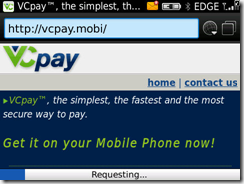
For more info on how to download the BB app [980KB]: https://www.vcpay.co.za/downloadAPP.aspx or just go to http://vcpay.mobi to download the app.

Here’s a list of currently supported BB devices:
Blackberry OS5 or greater 8900 | 8910 | 8980 | 9000 | 9350 | 9360 | 9370 | 9630 | 9650 | 9700 | 9780 | 9788 | 9790 | 8300 | 8310 | 8320 | 8330 | 8330m | 8350i | 8520 | 8530 | 8800 | 8820 | 8830 | 8830m | 9300 | 9330 | 9800 | 9900 | 9930 | 9981
Blackberry OS4
8900 | 8910 | 8980 | 9000 | 9350 | 9360 | 9370 | 9630 | 9650 | 9700 | 9780 | 9788 | 8300 | 8310 | 8320 | 8330 | 8330m | 8350i | 8520 | 8530 | 8800 | 8820 | 8830 | 8830m | 9300 | 9330
When 1st running the app you need to accept the terms and conditions… I have pasted them below for all you legal eagles to peruse… Interesting are clauses 5.1 (risks) and 6.3 (fees if linked to a credit card… but I didn’t see that option ):
”
VCPAY TERMS AND CONDITIONS OF USE Last updated 09/11/2011
Please ensure that you have read, understood and are happy with the terms and conditions governing the use of the VCpay mobile application before acceptance as acceptance constitutes a legally binding agreement between yourself and EasyPay.
1. PARTIES AND DEFINITIONS
1.1. “Application” or “App” means “VCpay”.
1.2. “EasyPay” means EasyPay (Pty) Ltd registration number 1983/008/597/07 hereafter referred to as “we”, “us” or EasyPay.
1.3. “EP Wallet” refers to a virtual wallet into which prepaid value funds can be placed to facilitate web or mobi based transactions at some future date.
1.4 “I, “you” and “yourself” refer to the client.
1.5 “VCpay” is a virtual credit card application that allows to create once of virtual credit card number for one transaction for an exact value and is brought to you by EasyPay.
2. AUTHORITY
2.1. By downloading and using the VCpay application, I authorize EasyPay to transact on my behalf in accordance with instructions I have given to them.
2.2. The creation of a virtual credit card coupled with the use of such a card will be deemed to be an instruction by me to EasyPay to transact on my behalf.
2.3. I hereby confirm and accept that EasyPay will not be liable for any loss or damage of whatsoever nature that I may suffer as a result of creating a virtual card for an incorrect amount and/or for the selection of an incorrect beneficiary.
3. CHANGES AND UPDATES TO TERMS AND CONDITIONS
3.1. Any material changes to the terms and conditions of use will be communicated to you via e-mail, SMS or updates on the VCpay website, continued use of the application after such changes have been communicated will be deemed to be an unconditional acceptance of the updated terms and conditions.
3.2. You agree to ensure that your details will be kept up to date in order to be enable us to communicate any changes to you timeously.
3.3. As Easypay is required by law to communicate changes and updates to the terms and conditions of use to you, any communication in this regard will not be subject to any opt out clause you may have exercised either through EasyPay or through a third party database.
3.4. Further, you agree that EasyPay will not be held liable for any loss or damage of whatsoever nature, except to the extent permitted by law, which may arise due to your failure to update your information.
4. SECURITY
4.1. You agree that it remains your responsibility to ensure that the PIN you have selected will be kept safe and is not disclosed to anyone in order to minimise the risk of fraudulent transactions.
5. RISK AND LIABILITY
5.1. NOT WITHSTANDING ANY OTHER CLAUSE IN THIS AGREEMENT TO THE CONTRARY, EASYPAY MAKES NO WARRANTY OF ANY KIND IN RELATION TO THE VCPAY APPLICATION AND CONSEQUENTLY WILL NOT BE HELD LIABLE FOR ANY LOSS OR DAMAGE OF WHATSOEVER NATURE SUFFERED AS A RESULT OF USING THE APPLICATION EXCEPT IN SO FAR AS THE LOSS OR DAMAGE AROSE DUE TO EASYPAY’S GROSS NEGLIGENCE OR MISCONDUCT.
5.2. YOU ACCEPT THAT THE USE OF THE APPLICATION IS AT YOUR OWN RISK EXCEPT IN SO FAR AS THE EXEMPTION IN 5.1 APPLIES.
5.3. EASYPAY ACCEPTS NO RESPONSIBILITY FOR ANY LOSS OR DAMAGE OF WHATSOEVER NATURE THAT IS LINKED TO THE SERVICE PROVIDED TO YOU BY YOUR NETWORK OPERATOR.
5.4. EASYPAY ACCEPTS NO LIABILITY FOR ANY LOSS OR DAMAGE OF WHATSOEVER NATURE SUFFERED DUE TO ANY MALFUNCTION OR FAILURE OF THIRD PARTY SYSTEMS OR COMMUNICATION DEVICES.
5.5. EASYPAY ACCEPTS NO LIABILITY FOR ANY LOSS OR DAMAGE OF WHATSOEVER NATURE SUFFERED DUE TO THE SERVICE BEING UNAVAILABLE FOR USE.
6. PRICING,FEES AND CHARGES
6.1. EasyPay levies no charges for downloading of the VCpay mobile application; however such download may be subject to fees levied by your network operator.
6.2. No fees are charged for the generation of virtual credit cards through the application.
6.3. You may only link your EP Wallet or your Credit Card to the application; if the application has been linked to a Credit Card, processing of transactions will be subject to either a fee per transaction or a monthly fee with unlimited transactions, you can choose the option most suitable for you at signup. 6.4. The ‘per transaction” option ensures that fees are charged upon the completion of every VCpay transaction.
6.5. The “monthly fee” option means that you will be charged a fixed fee every month, regardless of how many VCpay transactions you complete in that month.
6.6. If the application has been linked to an EP wallet, no service charges will be levied. 6.7. In order to effect security checks, during signup EasyPay will deduct a small charge from your linked account, due to security reasons this fee cannot be disclosed upfront however it will not exceed R5.00 (Five South African Rands).
6.8. The amount mentioned in 6.7 above will be reserved for your first VCpay transaction.
7. TERMINATION OF THE SERVICE
7.1. EasyPay reserves the right to cancel your usage of the service at anytime, without prior written notification if you have violated any of the terms and conditions of this agreement or in the event that we reasonably suspect that you have used the service to commit fraud/have engaged in fraudulent conduct with the use of the service.
7.2. EasyPay may, at its sole discretion and without prior notice to any user, permanently terminate or withdraw the service, in whole or in part.
7.3. EasyPay may, at its sole discretion and without prior notice to any user, temporarily suspend, in whole or in part; the use of the application in order to perform any maintenance or repair work or for any other reason that requires the temporary suspension of the service.
7.4. Should you no longer wish to make use of the VCpay application, you can simply delete the application from your mobile device.
7.5. Notwithstanding the termination of the service, you will remain liable for any transactions requested and/or processed prior to such cancellation.
”
Update on 27 May 2013: Here is some pricing info that the VCpay team sent me in response to a comment received from Guillaume:
- Pick
'n Pay supermarkets, hypermarkets, family stores and selected mini markets
nationwide
- Shoprite,
Checkers and Checkers Hyper stores nationwide
- Lewis
Stores nationwide
- Lifestyle
Living nationwide
- Best
Electric nationwide
- Foodworld
stores in the Western Cape
- Saveworld
stores in the Western Cape
- Elite
Cash 'n Carry in the Western Cape
- Selected
Score Stores
- Selected
Boxer supermarkets
- Selected
Spar outlets
Tuesday, 27 December 2011
My BlackBerry Bold 9700 was hanging more than 3 times per day [Solved]
So, my Blackberry Bold 9700 was hanging with the dreaded clock in the middle of the screen. It has 256MB of onboard memory where the OS and apps are installed and I know I was running low (down to 10MB). But the OS6 version of the operating system didn’t leave much room for new apps.
I uninstalled all the apps that I didn’t really use but still couldn’t get more than 10MB free. It seemed like the deletes weren’t really adding to the free memory :(
After about 6 hours of use, my BB hung and showed the “please wait forever clock”! A reboot was the only way – that means a battery pull, before I found out the quicker way of: holding “alt+Right_Shift+del” trick!
So, I was reduced to restarting the phone every 6 hours or so - #FAIL
I even scheduled a daily reboot using QuickPull
At the worst possible time eg: using the GPS to navigate, the phone would hang… I wanted to throw it away and get that Android phone which was next on the “which-phone-should-I-get” list.
I decided to take the plunge and start again – in other words: wipe the phone and all its contents – for the sake of my sanity. 
I found a great blog that explained the process: BlackBerry 302: A complete wipe and clean install of your BlackBerry OS and listed tools to get the job done easily:
BlackBerry Desktop Manager (DM)
BlackBerry Swiss Army Knife (BBSAK)
I also found BBHTool and BlackBerry Master Control Program (MCP) 

BBHtool is great in that it has a feature called “Shrink-a-OS” where you can choose which parts of the OS’s apps you don’t want to include on your phone – and so saves precious memory space!
I backed my phone up using BB DM and then followed the instructions and landed up with 122MB free before restoring all data and 3rd party apps.
Then 76MB free (as indicated on phone’s My World)
I then restored the 3rd party apps using BBHtool
I then added 20MB of 3rd party apps.
Then upgraded all my BB apps to the latest version
I now have 16MB free and I haven’t needed to restart the phone in over 24 hours… so far so good… I just wish the phone had more memory! Or the OS used up less. 
Things to note:
*) when restoring a version of the OS, then the versions of the BB apps are the old ones that were shipped with the OS – so next time I will try to backup even the BB apps for restoration after the OS install. Obviously, the workaround is to upgrade each app after the reinstall.
*) after the reinstall, you will need to accept each app’s terms and conditions and some will need you to re-enter the usernames and passwords
*) Setting up email accounts needed to be redone – but just entering of the passwords: I got an error "Sorry Unable to continue your session. Please login again". To solve a problem like this can try the following tips. Sign in to mobile.blackberry.com from your Blackberry browser, then select the state, on the page that appears scrolls down until it finds Communicate - Email, then follow the data requested.
*) All info on my 2GB memory card was not deleted (whew)
*) My TelMap navigation software survived the reinstallation, but I lost the “My Places” list – that was the biggest casualty :(
Monday, 29 August 2011
Walkie Talkie on your phone: Push To Talk (PTT) using data channel on any network in South Africa
Use your BlackBerry or Android phone or PC to instantly talk to a group of users – just like using walkie talkie radios! All of this for free (just pay for the bandwidth)! I suppose you could call it a VOIP app, since the voice does get converted to IP packets – but what’s different with this app is that the voice gets transmitted to a group of people and it comes over their phones’ speakers – like an intercom system!
This app is available for download from here: http://loudtalks.com/download and best of all it’s FREE. This allows public groups of up to 100 people – if you want to create private groups, then there’s the “Loudtalks Mesh or “Loudtalks Cloud” products.
The Cloud product is free to try out for up to 10 users, then there’s payment options to go larger groups up to 1,000 people.
In short, if you have your own server, then go for the Loudtalks Mesh option – else Loudtalks Cloud – which doesn’t require a server and is very quick to set up.
See here for a comparison: http://loudtalks.com/compare_products

Some of the features of the app are:
Loudtalks conversations are nearly as fast as face-to-face and possibly the fastest way to communicate online.
With Loudtalks you can voice message two, three or even a hundred people simultaneously.
Re-play your conversations when you want from the voice history.
Unlike traditional VoIP applications you don't have to use a headset with Loudtalks.
Loudtalks works over WiFi and 3G, and can be used on GPRS and EDGE.
Touchscreen-friendly
Real-time, low latency
Public channels
Voice-activated transmission (VOX) support
Currently, the app is available for BlackBerry and Android phones as well as PC (Windows and Linux using Wine):
BlackBerry - point your phone to: http://loudtalks.com/bb Note: that it does not use BIS – so if you are not using WiFi, then you will pay for the bandwidth used. Depending on your wireless provider and service plan using the app may cause data charges even if you have "unlimited email and browsing" BIS data plan. The app uses 110kB per minute talking, and 20kB per hour when idle. Regardless of your service plan you can always use the app on WiFi for free.
Android: http://market.android.com/details?id=com.loudtalks
PC: http://loudtalks.com/download
iPhone: iOS version will be released later this year (2011)
How to get going?:
Install the app then create an account and username,
then add contacts – once approved,
then you can try talking by pressing the PTT button (for BlackBerry it’s the convenience button on the LHS of the phone; for Windows it is F7) – keep that button down to talk, and release it to listen.
You can also create your own public channels that other people can search for and join.
I’ve tested the application with Vodacom in South Africa and has worked with WiFi and the Vodacom network on BlackBerry 9700 Bold and 8520 Curve.
Users with 3G handsets should enable the WAP2SR in the Options->Connection menu – this will reduce the high battery consumption.
If you get stuck, here’s a FAQ for BlackBerry users: http://loudtalks.com/bb_faq
Let me know if you have managed to successfully use the app – and for what purpose. I am going to suggest this for the local neighbourhood watch in my area.
Follow LoudTalks on Twitter here: http://twitter.com/loudtalks
Other similar apps that I’ve found are:
http://hipvoice.com/pricing Blackberry and other “rugged devices”, and not free
http://blabbelon.com Windows and iPhone
http://heytell.com Android and iPhone
http://voxer.com iPhone (soon Android)
http://www.itikl.com Android and iPhone (free)
Sunday, 3 July 2011
Telmap 5 maps were not showing [Solved]
I was extremely happy with the beta version of Telmap 5 on my Blackberry Bold (9700) until the maps disappeared at the end of June 2011 and I was wondering what was going on. A colleague even emailed Telmap support and got a response to call Vodacom support as they were contractually not allowed to deal with clients directly (#Fail). 
I kept on opening the maps to see if they were back. I read on the Internet somewhere that the Telmap servers were undergoing an upgrade so I was hoping…
Until last week the maps were blank. Funnily enough the maps of Europe were displaying fine – so I then suspected that perhaps Vodacom were blocking the maps for some reason – perhaps to force users to use the Vodafone Sat Nav software :(
Luckily (for Vodacom) that wasn’t the case :)
I was quite a happy user and excited when I eventually found an app that provided turn by turn navigation! – and I certainly didn’t want to be forced to use the SatNav software. It shows weather at my locations and other widgets too.
Last week, I opened the Telmap software and it wouldn’t open saying that the software had expired! I pressed the BB button and there was a link to “upgrade”…
I took a deep breath and thought that if I upgraded then I would lose “My places” – and wondered how I could extract these from the BB backups that I had made.
Another deep breath accompanied by a click on the “Upgrade” link and I started downloading the new software…
A short while and a reboot later the software started up; the maps were visible again, and I didn’t even lose “My Places”! :) :)
Navigation working again too :)
I am now upgraded to version 5.41 build 49
Now if only this software would show traffic info and tell me where the speed traps are…
Similar posts:
Update your Blackberry Bold 9700 Vodafone Sat Nav GPS Navigator

Sunday, 13 March 2011
GoogleDocs for sharing documents
Google Docs is a great way to share your documents and even edit them online at the same time. Use it to create documents, spreadsheets and presentations online. Another advantage is that your documents are available online and whenever you need them just hop onto the Internet from any PC and connect to your Google account. 
If someone at work shares a document with you using your work email address (fred@work_address.com), there’s no need to create another account to access those shared documents – just login to your Google account (fred@gmail.com): https://www.google.com/accounts/b/0/EditUserInfo?hl=en&service=mail
then in the “Add an alternate email address to your account” section
add your work or alternate email address fred@work_address.com email address.
Then “save”… easy as that!
I struggled a bit to figure out how to share a folder in GoogleDocs… but this article solved the problem – turns out you need to share a collection, then each document that you add to the folder will automatically be shared to a group of people.
Saturday, 5 March 2011
Giveaways of full versions of software for free
My first (and still favorite) giveaway site is http://www.giveawayoftheday.com where you get what it says: a free giveaway each day – you can download and install a full version of software for free. So, what’s the catch? Well, a small one – you need to install and activate on the day of the giveaway, and most giveaways are not for commercial use. I have heard that people somehow crack the giveawayoftheday installer to keep it for future installations…. I love that site and have been using it for years 
The reason for this article is to also list other sites that I have found and also use daily:
http://www.tipradar.com 
http://www.brothergiveaway.com 
http://www.twangoo.co.za 

Tuesday, 25 January 2011
Update your Blackberry Bold 9700 Vodafone Sat Nav GPS Navigator
I have been looking for a way to get better turn-by-turn GPS software on my Blackberry since I got it. The Vodafone Sat Nav GPS Navigator software just doesn’t work as well as my old Nokia 6110 Navigator phone. The main problem that I experienced was that when it’s in navigation mode, (in other words, when it is giving you directions) the voice prompts come slightly too late and I miss the turn… the screen does not allow a slightly more zoomed out view to see if this is the time to turn.
I even tried the Garmin product for 30 days, as well as their onboard version of their product: Garmap that’s offering a R200 discount (so you pay R399) but the discount voucher didn’t work – I even emailed them 7 (yes, seven) times – still not sorted out :( 
My BB Bold 9700’s version was running Vodafone Sat Nav version 4.65.87 and I needed an upgrade.

I then came across Telmap site - Telmap is the Israeli company that produces Sat Nav software - Telmap 4.5 world edition is available on Blackberry AppWorld for $79.99
I found this great way for you to receive the Telmap5 navigation system for your mobile phone for free.
All you have to do is register for free at http://global.telmap.com/tugpcbeta to join the Telmap User Group.
Notes:
a) this will UNinstall the existing Vodafone Sat Nav software, and you DO need to reboot your phone after the installation.
b) Traffic info does not work in South Africa.
c) It is a 6.1MB download (I hope you are on BIS)
d) It is beta software – so make a backup of your entire phone using the Blackberry desktop software
TelMap info:
”
The Telmap User Group is a group of beta testers for Telmap5. As a member of the User Group you will receive Telmap5 software for free and will be able to navigate everywhere we have geographic coverage including Europe, North America and more. Feedback can be returned at any time using our feedback form, and every so often we will conduct an online or phone survey asking you to answer some specific questions about the product.
You should know that you must maintain your own data package, and that we may keep GPS logs of your navigations.
We are currently accepting new users with the following devices:
- Android devices (English, French and Hebrew)
- BlackBerry 9800 Torch (English, French and Hebrew)
- BlackBerry 9780, 9700, 9300 (English, French, German, Spanish, Italian and Hebrew)
”
Here are the installation instructions:
1) Click on the “Register” button (at the bottom of the page) to join the Telmap User Group: http://global.telmap.com/tugpcbeta
(a download link and registration code will be emailed to you)
2) Open the email on your phone and click on the download link – a 6.1MB file will then start downloading and be installed on your phone. My version is version 5.12.32.01 build 02. Release notes are here: http://downloads.telmap.com/tug/doc/TUGReleaseNotes.htm
3) It will replace the old Vodafone Sat Nav version and will ask for phone permissions
4) Reboot your phone after the install is complete.
Feedback can be given using this form: http://www.surveygizmo.com/s/193403/feedbacks-on-telmap-navigator-v5-0
(not for installation problems… rather use: tugadmin@telmap.com)
Telmap User Group Forum is here: http://www.pocketgpsworld.com/modules.php?name=Forums&file=viewforum&f=137
Telmap5 offers:
- Full-featured in-car navigation with moving maps and sound instructions with street names
- Turn-by-turn pedestrian navigation with moving maps that follow your location and bread-crumbs for orientation
- Simple and easy one-line search for anything you need
- Widgets that let you personalize your experience for in-car navigation, pedestrian navigation and mapping
- Rich UI with animations, shadowing and graphic effects – all based on a map
- Weather information for any location
- Cell-ID positioning technology lets you use mapping and local search even when you are indoors with no GPS fix
- Tiled maps for quicker map download and smooth panning
- And much more…

Sunday, 16 January 2011
Where to download VoipBusterMate and SkypeMate for USB phones
Following from my previous postings on cheap (and sometimes free) international calling using VOIP (Voice over Internet) and USB phone handsets, I was distressed to find that the http://yealink.net/skypemate/download and www.skypemate.net download sites are getting fewer and fewer. (The original location that my posts referred to are now no longer available to download the software)
So, I decided to make the downloads that I have on my local computers available here:
SkypeMate_4.0.2.2.zip
VoipBusterMate3.0.2.48.zip
I also see that some are available here too: http://www.usbphoneworld.com/fido.html
Previous posts that explain how to connect your DECT cordless telephone to make VOIP calls:
* My DECT cordless phone is now actually working with Skype and SkypeOut and VoipBuster and VOIP calls – cool, and so convenient!
* Hooray, I’ve found a way to use my cordless DECT phone to make Skype and SIP VoipBuster calls – Solved :)
* 120 free days of calls to major cities, then rates at cheaper than SkypeOut
Thursday, 23 December 2010
Are you involved in Skype group chats that are distracting – then set a notification trigger based on your name
We use Skype extensively for inter-office communications and a colleague recently showed me how she could ignore the Skype group chats unless someone specifically typed her name (or other configured words). This is very useful if you want to ignore chats unless your name or other topics come up.
Here’s how it’s done:
1) Open a chat window (group chat or 1-on-1 chat)
2) Select the pull down menu: Conversation->Notification settings 
3) Select the radio button “Notify me only if these words are mentioned” and type in some trigger words and phrases: 
Hope this helps shield you from “noisy” group chats and you can get some work done.
BTW: there are some nice useful features under that “Conversation” pull down menu – why not try some out now
eg: Profile panel –> Set topic
Tuesday, 10 August 2010
Debug your web page for different versions of Internet Explorer with one (1) free program
How many times have you had to reproduce client problems on your web pages using a virtual machine or multiple PCs running different versions of Internet Explorer?
You don't have to do that anymore. Now you can debug your pages on multiple versions of IE on the same machine that you use for Web development or testing. 
IETester for Windows Internet Explorer is a stand-alone (free) browser compatibility checker for Internet Explorer versions from 5.5 to 9. It is a visual tool that makes it faster and easier to test your sites – it uses the rendering and javascript engines of IE9 preview, IE8, IE7 IE 6 and IE5.5 on Windows 7, Vista and XP, as well as the installed IE in the same process. You can then navigate to the different pages and enter data as if you had installed the different versions of IE on your computer.
It’s free, but why not make a donation to support the project? Donate now

And, look at their other product: DebugBar:
- DOM Inspector: View DOM Tree and modify tags attributes and css attributes on the fly to test your page
- HTTP Inspector: View HTTP/S request to check cookies, GET and POST parameters, view server info
- Javascript Inspector and Javascript Console: View javascript functions for easier debugging, see Javascript and AJAX code
- HTML Validator: Validate HTML code to correct and optimize your code and html size of your page
- And many more features: See page cookies, get pixel colour on a page, make a page screenshot...
Morph your photos online and free
It allows you to upload photos and then you “prepare” the photos so that the site knows where the parts of the face are. So, it doesn’t rely on technology to automatically recognise where the outlines of the face, mouth, nose, ears, eyes, eye brows are… it makes you tell it where the outlines are:

 (Wow, nice eyes!)
 (Sexy lips!)
 You can also select photos of celebrities – to see what would happen if you had kids with/for them ;)

Friday, 16 July 2010
WhatsApp for Nokia Symbian phones is now available
So, as long as you have the program installed on your phone you will be able to chat to others – just create a contact using their cell phone number. This means no more SMSs locally and internationally. All this for free – well, almost – WhatsApp costs $1.99 per year – BUT, this beta version is free for 90 days.
Nokia phone requirements: Nokia S60 3rd or 5th edition Smartphone (those are phones that run Symbian operating system; N73 or newer phones) – if you don’t know what Symbian is, then your phone probably isn’t compatible.
See here for a list of Nokia cell phones and their Symbian versions: http://3lib.ukonline.co.uk/s60history.htm
Download the .sis file to your PC from here [796KB]: WhatsApp for Nokia phones then use Nokia’s PC Suite to install it onto your phone… else navigate to this URL using your phone’s browser: http://www.whatsapp.com/nokia/WhatsApp_2_0_0.sis. Here’s their download page for more info.
It takes a while when installing... since it checks all your contacts cell numbers and checks if your contacts are already using WhatsApp... then you can connect with them.
I must warn you though that it keeps the Internet connection on your phone open all the time... but it doesn't send/receive data all the time... only once every 3 or so minutes (unless you are busy in a chat “conversation”).
The beauty about this is that people can send you messages even when the program isn’t open – they appear like an SMS since the open Internet connection checks for messages every 3 or so minutes. I have tested it and my battery life isn’t adversely affected.
Once it’s installed, it will ask you for your cell number so that others can find you by using your cell number. No need to login or anything, it knows who you are.
Remember, it doesn’t connect to the Blackberry BB messenger service – BB users will also need to install the WhatsApp program and subscribe to the service, then use it to chat to their iPhone and Nokia friends.
Will it work on my wife’s phone? Well, to see if it’s compatible do a Google search with the phone’s model number eg: “Nokia E66” +specification
Pick one of the results and then search for “Symbian” in the page – if there’s a line like this: “Symbian OS 9.2, Series 60 v3.1 UI” then it IS compatible. You need to look for “Series 60” v3 or v5.
What does it cost to send messages: It’s cheap… charged at data rates. In South Africa, the unbundled data rates is about R2.00 per MB. That’s 200c per million characters, which is 1c per 500 characters! So, it’s as close to free as can be!
You gotta be dumb to continue using SMSs are say R1 per local SMS for only 180 characters! (and R2 for international SMSs)
Currently Nokia users can only send text - transfer of images is only available to iPhone and Blackberry users – iPhone can also transfer audio and location.
Remember to change your status (using the Options menu) to "Available" - it looks more tech savvy than "Hey there! I'm using WhatsApp!"
“Always-on” means that there is always a “service” running on the phone – even when you’ve exited the messaging interface. This service periodically checks the WhatsApp server for any messages for you -if it finds one when the messaging interface is exited, then it pops up a notification on your phone like an incoming SMS. Open up the “SMS” and it will open the WhatsApp messaging interface – all ready to read and reply.
I’ve always wondered why MXit and NimBuzz never really took off compared to Blackberry messenger (and probably now WhatsApp) – I think it’s the ‘Always on’ feature…
BTW: to all my loyal readers that have read the whole article: when I installed the beta version it said that it was licensed until July 2011 – whooppeeee 1 year free license for using the beta version. Let me know if you also got a year.
Update on 28July2010: WhatsApp has been updated: version 2.0.0 has been updated to 2.0.6. Download from here: http://www.whatsapp.com/nokia/
Update on 01Sept2010: WhatsApp for Android beta is now available - use your Android browser to download from here: http://www.whatsapp.com/android/
Saturday, 12 December 2009
More full commercial software for free
I’ve found some more full free commercial software from ChipOnline the site is in German but get Google to translate: ChipOnlineEnglish


1) Everest Ultimate version 4.60 [8MB]: Benchmark your PC: Everest Ultimate
2) Paragon Partition Manager 10 Personal Edition: Paragon Partition Manager 10 Ooops, the 25,000 licenses are all taken :(
3) Full Version: Radio Tracker 6 [1.4MB]: Radio Tracker 6
4) Ashampoo UnInstaller 2010 [12.9MB]: Ashampoo UnInstaller 2010
5) CrazyTalk 5 SE [139MB] funny animation tool that converts portraits into animated faces that accompany voice messages recorded via microphone with the appropriate facial expressions: CrazyTalk 5 SE
6) Full Version: TuneUp Utilities 2009: TuneUp Utilities 2009
7) Full: WashAndGo 2008 [22MB]: WashAndGo 2008
8) Full Version: converter for digital photo frames: Converter for digital photo frames
9) Free eBook Bundle: Office 2007 [25MB]: ebooks for Office 2007, Excel 2007, Microsoft Office Outlook 2007, PowerPoint 2007 to use a professional, Present like a pro with Microsoft PowerPoint 2007: eBook Bundle: Office 2007
10) Steganos Shredder 11 [17.5MB]: Delete files securely: Steganos Shredder 11 (Steganos has released the serial number: 8DBB-9E6D-28ED-BB69-5B23-8F89-2464-CD42)
11) PDFTiger [17MB]: Not worth downloading
12) CyberLink DVD Suite 7 Centra [946MB]: CyberLink DVD Suite 7 Centra limited to 29,000 licenses
13 through to 24 will be released one by one, daily… follow CHIP_Download on Twitter to stay in touch with the free giveaways.
Update on 13Dec2009:
Here’s another treasure trove of free giveaways (in German): http://www.stern.de/digital/adventskalender-sternde-verschenkt-software-1526074.html


 Posts
Posts


