Showing posts with label phishing. Show all posts

Saturday, 31 December 2011

At last! A virtual credit card for South Africans with No monthly subscription nor other fees!

Wow, wow, wow, wow, EasyPay has come up with the payment solution that I have been waiting for for a very long time.  I’ve always been nervous about exposing my real credit card’s full credit to the “wild” of the Internet.  Wouldn’t it be nice to be able to create a virtual card that has a limited amount of money on it – then the card’s numbers become useless to fraudsters?
Well, that’s what EasyPay’s product called VCpay™ can do for you (seems like it was launched on 15 November 2011)– and what sweetens the deal even more is that there is no monthly subscription and no other charges.  In fact they even give you a cashback reward of 0.5% per transaction.  That’s not a whole lot of cash, but it’s better than nothing!

image

From the EasyPay web site:

VCpay™ is a mobile phone application (BlackBerry only for now), that allows you to create, on demand, a unique virtual credit card that is intrinsically linked to the transaction you are effecting or intending to effect.  This means that only you can create such a virtual card for an amount you specify in an off line manner using your mobile phone anywhere and anytime.
Update May 2013: Blackberry, Android and iPhone supported now :) :  List of phones
image

VCpay™ works off-line and it is therefore not reliant on mobile network coverage or its reliability, signal strength or availability.

As a result, VCpay™ provides you with 100% guaranteed service delivery and eliminates the frustration and embarrassment we have all experienced when our traditional card products fail to work due the failure of communication networks and/or the non-receipt of confirmation SMS messages from our issuing banks.

VCpay™ works off line and thus does not expose your account information or your identity, so it is impossible for your personal and financial information to be compromised, intercepted, phished or hacked – making VCpay™ the most secure, simplest and fastest way to pay.


It can be used in PrePaid or PostPaid mode, and funds can be transferred into your VCpay account in 3 ways: 1) EasyPay locations, 2) EasyPay kiosks, 3) EFTs. 
See here for more details:  https://www.vcpay.co.za/depositFUNDS.aspx
(HTT note: I notice that you can’t charge the VCpay amount to your real credit card… so, all those loyalty miles etc. from your real credit card will be lost - at the expense of peace of mind through more security – but you will get 0.5% cashback ;) )  Although their terms and conditions clause 6.3 hints that this might be possible for a fee – later?)
HTT note: When adding the VCpay beneficiary to my FNB account it picked it up as a pre-loaded “Public Recipient: Net1 Applied Technologies“

You can then create a virtual card on demand using the cell phone app and then use the Virtual cards on the Internet anywhere a MasterCard "card not present" transaction is accepted, such as the majority of websites, telephone orders or purchases and/or bookings for airline tickets, rental cars or concert tickets.

Both Prepaid and Postpaid Virtual Cards are accepted on the EasyPay website for any product.  This includes prepaid airtime, prepaid electricity and bill payments to over 400 institutions, such as municipalities (e.g. rates and taxes), traffic fines, SABC TV Licences, retailers, doctors, insurance companies, school fees, etc. 

See here for more information on how the system works and info on the 2 registration steps (download the app,then Link the VCpay™ app to an EasyPay Wallet): https://www.vcpay.co.za/Default.aspx
HTT Note: when the BB app asks you for your “EP Wallet PIN” then that’s where you enter your login password that you use for the easypay.co.za web site.
HTT Note: I tried to link my EasyPay wallet to the VCpay account but the app hung…. “linking to wallet”.  I then closed the app and when I restarted the app I logged in using my VCpay password and it seemed to be working :)

I transferred a small amount of Rands (just to try it out) from FNB to my EasyPay wallet and it arrived in about 10 minutes :)
and I could then start creating my virtual credit card on my cell phone!:imageI then had to enter my VCpay password but got an error creating the Virtual Credit Card :(
Update on Wed4Jan: I unlinked my wallet then linked it again and the Virtual Credit Card (with *very* low limit, valid until May 2015) was created.  I used it to pay one of my online bills and it worked perfectly. Well done EasyPay for an awesome product that I will most definitely use for my (now safe) online shopping.

You can also see a list of virtual cards that you have already created and the ones that are used up:
image

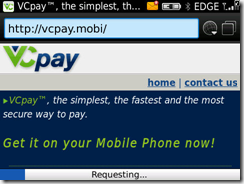
For more info on how to download the BB app [980KB]: https://www.vcpay.co.za/downloadAPP.aspx or just go to http://vcpay.mobi to download the app.
image
Here’s a list of currently supported BB devices:
Blackberry OS5 or greater
8900 | 8910 | 8980 | 9000 | 9350 | 9360 | 9370 | 9630 | 9650 | 9700 | 9780 | 9788 | 9790 | 8300 | 8310 | 8320 | 8330 | 8330m | 8350i | 8520 | 8530 | 8800 | 8820 | 8830 | 8830m | 9300 | 9330 | 9800 | 9900 | 9930 | 9981
Blackberry OS4
8900 | 8910 | 8980 | 9000 | 9350 | 9360 | 9370 | 9630 | 9650 | 9700 | 9780 | 9788 | 8300 | 8310 | 8320 | 8330 | 8330m | 8350i | 8520 | 8530 | 8800 | 8820 | 8830 | 8830m | 9300 | 9330
image
When 1st running the app you need to accept the terms and conditions… I have pasted them below for all you legal eagles to peruse… Interesting are clauses 5.1 (risks) and 6.3 (fees if linked to a credit card… but I didn’t see that option ):


VCPAY TERMS AND CONDITIONS OF USE   Last updated 09/11/2011
Please ensure that you have read, understood and are happy with the terms and conditions governing the use of the VCpay mobile application before acceptance as acceptance constitutes a legally binding agreement between yourself and EasyPay.

1. PARTIES AND DEFINITIONS
1.1. “Application” or “App” means “VCpay”.
1.2. “EasyPay” means EasyPay (Pty) Ltd registration number 1983/008/597/07 hereafter referred to as “we”, “us” or EasyPay.
1.3. “EP Wallet” refers to a virtual wallet into which prepaid value funds can be placed to facilitate web or mobi based transactions at some future date.
1.4 “I, “you” and “yourself” refer to the client.
1.5 “VCpay” is a virtual credit card application that allows to create once of virtual credit card number for one transaction for an exact value and is brought to you by EasyPay.

2. AUTHORITY
2.1. By downloading and using the VCpay application, I authorize EasyPay to transact on my behalf in accordance with instructions I have given to them.
2.2. The creation of a virtual credit card coupled with the use of such a card will be deemed to be an instruction by me to EasyPay to transact on my behalf.
2.3. I hereby confirm and accept that EasyPay will not be liable for any loss or damage of whatsoever nature that I may suffer as a result of creating a virtual card for an incorrect amount and/or for the selection of an incorrect beneficiary.

3. CHANGES AND UPDATES TO TERMS AND CONDITIONS
3.1. Any material changes to the terms and conditions of use will be communicated to you via e-mail, SMS or updates on the VCpay website, continued use of the application after such changes have been communicated will be deemed to be an unconditional acceptance of the updated terms and conditions.
3.2. You agree to ensure that your details will be kept up to date in order to be enable us to communicate any changes to you timeously.
3.3. As Easypay is required by law to communicate changes and updates to the terms and conditions of use to you, any communication in this regard will not be subject to any opt out clause you may have exercised either through EasyPay or through a third party database.
3.4. Further, you agree that EasyPay will not be held liable for any loss or damage of whatsoever nature, except to the extent permitted by law, which may arise due to your failure to update your information.

4. SECURITY
4.1. You agree that it remains your responsibility to ensure that the PIN you have selected will be kept safe and is not disclosed to anyone in order to minimise the risk of fraudulent transactions.

5. RISK AND LIABILITY
5.1. NOT WITHSTANDING ANY OTHER CLAUSE IN THIS AGREEMENT TO THE CONTRARY, EASYPAY MAKES NO WARRANTY OF ANY KIND IN RELATION TO THE VCPAY APPLICATION AND CONSEQUENTLY WILL NOT BE HELD LIABLE FOR ANY LOSS OR DAMAGE OF WHATSOEVER NATURE SUFFERED AS A RESULT OF USING THE APPLICATION EXCEPT IN SO FAR AS THE LOSS OR DAMAGE AROSE DUE TO EASYPAY’S GROSS NEGLIGENCE OR MISCONDUCT.
5.2. YOU ACCEPT THAT THE USE OF THE APPLICATION IS AT YOUR OWN RISK EXCEPT IN SO FAR AS THE EXEMPTION IN 5.1 APPLIES.
5.3. EASYPAY ACCEPTS NO RESPONSIBILITY FOR ANY LOSS OR DAMAGE OF WHATSOEVER NATURE THAT IS LINKED TO THE SERVICE PROVIDED TO YOU BY YOUR NETWORK OPERATOR.
5.4. EASYPAY ACCEPTS NO LIABILITY FOR ANY LOSS OR DAMAGE OF WHATSOEVER NATURE SUFFERED DUE TO ANY MALFUNCTION OR FAILURE OF THIRD PARTY SYSTEMS OR COMMUNICATION DEVICES.
5.5. EASYPAY ACCEPTS NO LIABILITY FOR ANY LOSS OR DAMAGE OF WHATSOEVER NATURE SUFFERED DUE TO THE SERVICE BEING UNAVAILABLE FOR USE.

6. PRICING,FEES AND CHARGES
6.1. EasyPay levies no charges for downloading of the VCpay mobile application; however such download may be subject to fees levied by your network operator.
6.2. No fees are charged for the generation of virtual credit cards through the application.
6.3. You may only link your EP Wallet or your Credit Card to the application; if the application has been linked to a Credit Card, processing of transactions will be subject to either a fee per transaction or a monthly fee with unlimited transactions, you can choose the option most suitable for you at signup. 6.4. The ‘per transaction” option ensures that fees are charged upon the completion of every VCpay transaction.
6.5. The “monthly fee” option means that you will be charged a fixed fee every month, regardless of how many VCpay transactions you complete in that month.
6.6. If the application has been linked to an EP wallet, no service charges will be levied. 6.7. In order to effect security checks, during signup EasyPay will deduct a small charge from your linked account, due to security reasons this fee cannot be disclosed upfront however it will not exceed R5.00 (Five South African Rands).
6.8. The amount mentioned in 6.7 above will be reserved for your first VCpay transaction.

7. TERMINATION OF THE SERVICE
7.1. EasyPay reserves the right to cancel your usage of the service at anytime, without prior written notification if you have violated any of the terms and conditions of this agreement or in the event that we reasonably suspect that you have used the service to commit fraud/have engaged in fraudulent conduct with the use of the service.
7.2. EasyPay may, at its sole discretion and without prior notice to any user, permanently terminate or withdraw the service, in whole or in part.
7.3. EasyPay may, at its sole discretion and without prior notice to any user, temporarily suspend, in whole or in part; the use of the application in order to perform any maintenance or repair work or for any other reason that requires the temporary suspension of the service.
7.4. Should you no longer wish to make use of the VCpay application, you can simply delete the application from your mobile device.
7.5. Notwithstanding the termination of the service, you will remain liable for any transactions requested and/or processed prior to such cancellation.
” 

Update on 27 May 2013: Here is some pricing info that the VCpay team sent me in response to a comment received from Guillaume:

EP Wallet: Free
You can deposit funds at the following participating EasyPay merchants, however, an EP bill number would be required for this option – VCpay application once downloaded onto your cellphone handset will supply the EP bill number linked to your EP wallet– the funds will only reflect into the your EP wallet once the below retailers settle their devices – this will depend on when these retailers settle +- 48 hours
  • Pick 'n Pay supermarkets, hypermarkets, family stores and selected mini markets nationwide
  • Shoprite, Checkers and Checkers Hyper stores nationwide
  • Lewis Stores nationwide
  • Lifestyle Living nationwide
  • Best Electric nationwide
  • Foodworld stores in the Western Cape
  • Saveworld stores in the Western Cape
  • Elite Cash 'n Carry in the Western Cape
  • Selected Score Stores
  • Selected Boxer supermarkets
  • Selected Spar outlets
Virtual credit card:
Credit card usage:
            Monthly Fee:                R 7.95               [Charged Once per Month]
            Transaction Fee:           R 2.95               [Charged per transaction that the client performs]


Monday, 29 August 2011

Twitter fake page: http://ltwltter.com/timed_out/ Beware it will steal your password (phishing)

If you get a Direct message that looks like this:

ROFLMAO i can't stop laughing at this pic of you ppfr.it/434
Direct message sent by YourFriend (@yourFriend) to you (@YourName)


The first reaction is to click on the short link ppfr.it/434 which will take you to http://t.co/tIdsrtv which will resolve to http://ltwltter.com/timed_out/ (notice the ‘l’ before the ‘t’ of twitter) which will present a FAKE Twitter login page that looks exactly like the Twitter web site with username and password screen:

image


Please beware – since this is a FAKE login screen – So do NOT enter your login details!

If you do enter your username and password – then the fake page will steal your username and password and then redirect you to another fake page:
http://ltwltter.com/status/error/  (notice the ‘l’ before the ‘t’ of twitter)
image
Once the phishers have harvested your login details then they will send DMs to all of your followers and send them the same “ROFLMAO” message and hope that they fall into the same trap and log in to the fake Twitter page.

Be careful out there and remember to ALWAYS check the URL of the page that you are logging in to.

Sunday, 23 August 2009

Is this a phishing scam?: a bogus KwikSpar online shopping site… or is it?

I was browsing the GetValue.co.za site for some great (South African) shopping tips, and read the comment from John K Weber here (johnkweber on August 20th, 2009 at 10:26 am):

Just a rather interesting fact about online shopping. There is an Spar online shopping site at http://www.computersource.co.za/Listing.php.

What’s weird is that when I contacted the owner of Spar he told me that it is not their online shop.  Rather weird that someone would go through all the trouble of impersonating a Spar online shop.  This is a bit scary though because it might just be a scam to get your credit card details and your money. mmm be very wary when shopping online.

One has to distinguish between being wary and paranoid.  Some trusted sites really do good and deliver good service but one has to beware that you are not being ripped off by some unknown entity.

Apparently the Spar head office has tried to get the online shop squashed but to no avail. They can’t seem to figure out who owns the site.

The http://www.computersource.co.za/Listing.php site has an “About us” page which lists telephone number and email addresses as:

Cell number: 083 290 7734
e-Mail:  kwiksparstrand@saonline.co.za
Contact: CONLYN

John K Weber called the manager of the KwikSpar (using the cell number above) who confirmed that it’s not his site.

John K Weber also said that the prices were extremely good – further enticing people to “shop” there and perhaps enter their details (credit card) on the site.

Looking at the source of the web site, I see: “Author content = SA Online: Ken Hubbard and Luke Borg”

I haven’t actually tried to purchase anything on the site… what do you think???

Or, maybe the site is real – but then why would they put incorrect contact details on the site – so, on second thoughts…. people, beware, be very aware, of this type of phishing scam.
What’s even more scary, is that Spar Head Office haven’t tracked down the owner and shut the site down.
So, maybe it’s legit – hell man, I’m going around in circles here – so, let leave it for now, until Spar, or the site owner or his/her customers come forward and defends the legitimacy of the site.

Then we can all shop there and save some money on groceries, and hopefully www.priceisright.co.za can include their prices in their groceries database for comparison!


Saturday, 15 August 2009

I was nearly caught by this MSN messenger phishing scam (I think) pointing me to some interesting photos of me

All of a sudden a popup appeared telling me that one of my MSN messenger buddies had found some interesting pictures of me on the Internet… this of course raised my curiosity so I clicked on the link to the pictures. 

A web form opened:
MSN phishing login page
“Welcome back!  Please login with your msn to continue…  pics for msn friends 1.1c  currently 37 pictures in private gallery.”

So, not thinking too much :( and knowing that the original MSN message came from one of my buddies, I typed in my MSN email address and then my password.
I was about to press enter, when I realised something was amiss.  I’m not sure what triggered my suspicions (perhaps it was the poor capitalisation), but I decided to read the “Terms and Conditions” page (pasted below, with all the original spelling mistakes, and “interesting” statements underlined).

Well, after reading the “Terms and Conditions” page, all I can say is “At least they are being honest about being dis-honest”!!!!  And needless to say, I decided NOT to press the “Sign in” button.

OK, so why did I get the message?
Is my PC infected with some sort of virus?
Is my buddy’s PC infected with some sort of virus?
Has my buddy’s MSN login been compromised?

After Googling a bit, I think (not conclusive at this stage) that a virus is not involved.  But I suspect that my buddy’s account has been compromised. 

I called my buddy and told him to change his password.  Hopefully that’s sorted out the problem. 

Remember, if you get a similar popup then don’t enter your real username and password!


Terms of Use / Privacy Policy:


{HTT has highlighted and underlined various statements below – the original was plain text}

By filling out this form, you authorize Tubela Management, Inc to spread the word about this 100% real and upcomming Messenger Community Site.  You will receive your share of the credit in helping us spread the word. This is a harmless Community site which is offering users a platform to meet each other for free.

We do not share your private information with any third parties.  By using our service/website you hereby fully authorize Tubela Management, Inc to send messages of a commercial nature via Instant Messages and E-Mails on behalf of third parties via the information you provide us. This is not a "phishing" site that attempts to "trick" you into revealing personal information. Everything we do with your information is disclosed here. If you are under eighteen (18), you MUST obtain permission from a parent or guardian before using our website/service.

This page is not affiliated with or operated by Microsoft (tm) or MSN Network (tm).

ANY LIABILITY, INCLUDING WITHOUT LIMITATION ANY LIABILITY FOR DAMAGES CAUSED OR ALLEGEDLY CAUSED BY ANY FAILURE OF PERFORMANCE, ERROR, OMISSION, INTERRUPTION, DEFECT, DELAY IN OPERATION OR TRANSMISSION, COMMUNICATIONS LINE FAILURE, SHALL BE STRICTLY LIMITED TO THE AMOUNT PAID BY OR ON BEHALF OF THE SUBSCRIBER TO THIS SERVICE.

We may temporarily access your MSN account to do a combination of the following: 1. Send Instant Messages to your friends promoting this site. 2. Introduce new entertaining sites to your friends via Instant Messages.

This is a free service. You will not be asked to pay at any time. You will not be subscribed to anything asking for payment. This service is made possible by many hours of human effort.

Tubela Management, Inc reserves the right to change the terms of use / privacy policy at any time without notice. To view the latest version of this privacy policy, simply bookmark this page for future reference.

You understand that this agreement shall prevail if there is any conflict between this agreement and the terms of use you accepted when you signed up with MSN. You also understand that by temporarily accessing your msn account, Tubela Management, Inc is NOT agreeing to MSN's terms of use and therefore not bound by them.

This agreement shall be construed and governed by the law of the republic of Panama. You expressly consent to the exclusive venue and personal jurisdiction of the courts located in the Republic of panama for any actions arising from or relating to this agreement.

If any provision of this agreement is held to be invalid, illegal or unenforceable for any reason, such invalidity, illegality or unenforceability shall not effect any other provisions of this agreement, and this agreement shall be construed as if such invalid, illegal or unenforceable provision had not been contained herein.

Copyright 2008 Tubela Management, Inc


Update on Thursday 27Aug2009:  I just received another popup – this time containing the following text: “phewww +o( unbelivable, is that you??? who ever is it...is really similar to you lol ...
http://I-Got-Obsessed.com/?gallery=buddy’s_name&pic=DSC00457.JPG


Wednesday, 20 February 2008

Beware... these criminals are phishing now! Never reveal your alarm codeword

Here's some advice from our neighborhood watch:

Beware of Telephone Scams/Cons - NEVER divulge alarm or personal details!
Following the reporting of various incidents listed below, note that you should never provide the password of your burglar alarm/armed response system to anyone over the telephone unless you are absolutely certain that your alarm has triggered and you are therefore expecting a call from the response control call centre. This caution should be made known to all family members and any others who have been provided with your password. If ever you are concerned that your password has been given to someone who should no longer be in possession of the information (example - former employee) then arrange to change the password immediately via the correct channels at your service provider. Never provide your ID number of other confidential details over the telephone to anyone.

Case 1 - This evening I received a telephone call from 'my alarm company' at 22:24 saying that my alarm had just gone off and asking for my codeword in order, I presume, to cancel armed response. I was suspicious as my alarm was not yet set, but the lady 'controller' confirmed that she had received an alarm notification and repeated that she wanted my codeword. I asked when the alarm had been triggered and she said right now at 10:24pm. I refused to provide my codeword as the circumstances did not appear to warrant it. She said Ok and hung up. I then checked with the Security control room to find out whether they had in fact called. The controller asked all her colleagues in the control room whether or not they had called me, either in my own right, or as keyholder for a neighbour. She confirmed that no one in the control room had initiated the call to me. This is worrying as it would indicate that persons unknown are trying to 'Phish' for the codewords of the unwary and as I have an unlisted number, this is particularly disconcerting. I can only imagine that knowledge of this information would allow these persons to break into one's house, set off the alarm, then provide the necessary codeword to prevent armed response from responding.

Case 2 - My daughter, 20 years old, was phoned by a lady stating that this was "a courtesy call from ?? Bank". The caller had my daughters details - initials, surname, address, but asked her for her ID number - which she very willingly gave. Fortunately she was not asked to give any of her banking/card details. I immediately contacted the Bank where she has her account who verified that to their knowledge my daughter had not been telephonically contacted. They also apparently do not ask for ID details over the phone. Who knows what implications this will have in the future. Someone now has my all my daughters details and ID number illegally obtained. Scary situation.

Live Traffic Feed


Be notified of
page updates
it's private
powered by
ChangeDetection

Copyright © 2008 HandyTechTipper. All articles are released under the Creative Commons Attribution 2.5 South Africa license, unless where otherwise stated.